
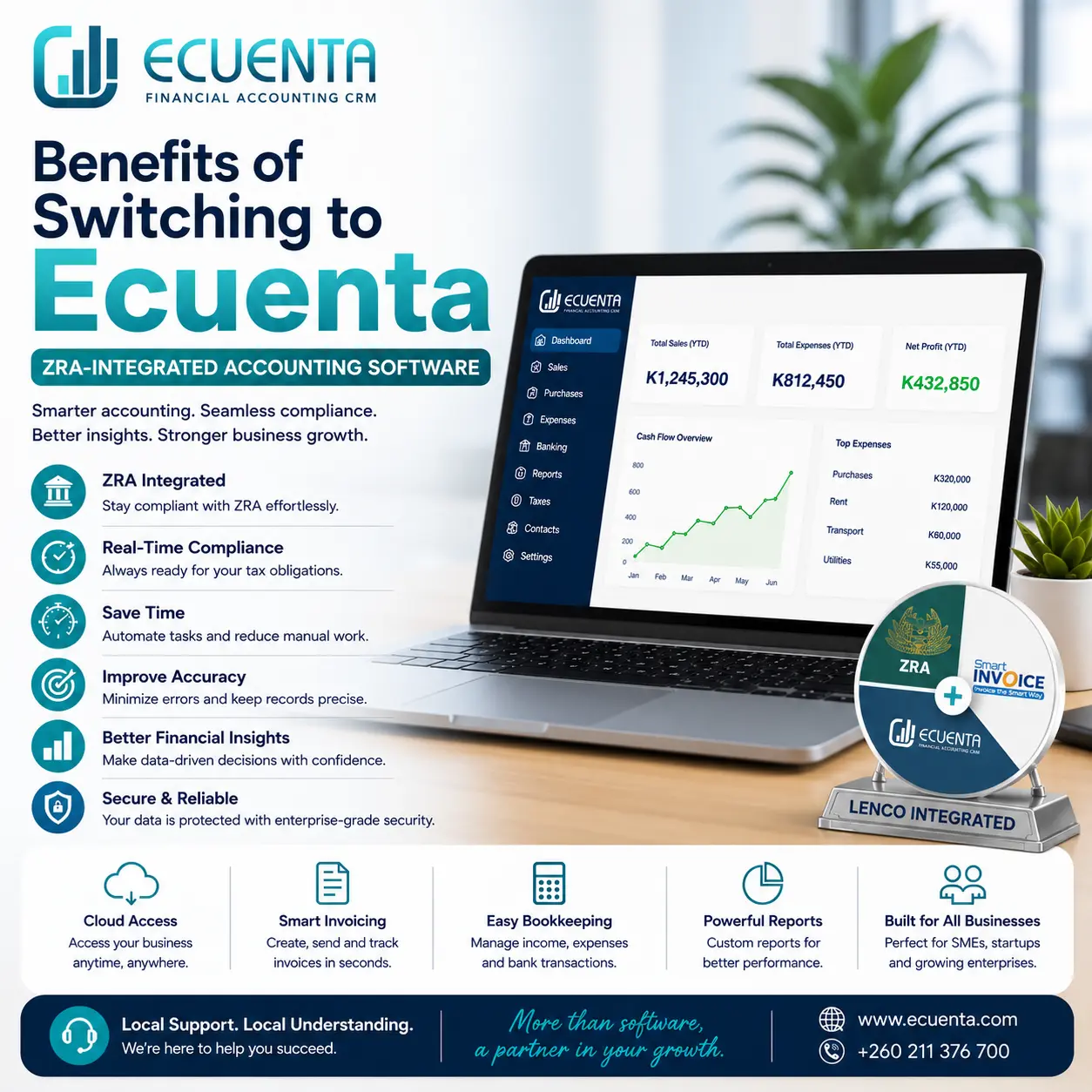
Benefits of Switching to Ecuenta: ZRA-Integrated Accounting Software
Imagine closing a month only to discover the VAT returns are wrong, receipts are missing, and your accountant is frantically chasing approvals—again. For many small and medium enterprises in Zambia, that scene is all too familiar: compliance deadlines looming, manual entries piling up, and the constant worry that one missed code could trigger penalties from ZRA. If you're a business owner, CFO, bookkeeper, or accountant, you know the cost of those errors—time, stress, and lost revenue. Now imagine a system that automates tax-ready records, syncs directly with ZRA, and gives you clean reports at a click. Switching to Ecuenta doesn't just tidy your ledgers; it changes how you run finance—freeing you to focus on strategy instead of paperwork. Curious how that shift actually happens? Read on to see what life looks like after the switch.
Why Ecuenta matters for Zambian businesses
Ecuenta is an accounting and POS software built with the Zambian business environment in mind, including direct integration with Zambia Revenue Authority (ZRA) systems. That local-first approach matters: tax rules, filing formats, and regulatory expectations differ country by country, and using a solution tuned to Zambia reduces guesswork and compliance risk. Ecuenta aims to combine everyday bookkeeping, point-of-sale operations, and tax compliance into one workflow so finance teams spend less time reconciling formats and more time delivering insights.
Core benefits of switching to Ecuenta
Real-time tax compliance: Automated VAT and tax calculations aligned with ZRA formats. Prepare and export tax returns quickly and reduce the risk of misfiling.
Streamlined bookkeeping: Sales, purchases, receipts, and payments flow into structured ledgers automatically, minimizing manual data entry and human error.
Lenco payment integration: Accept and automatically reconcile digital payments including:
- MTN Mobile Money
- Airtel Money
- Zamtel Kwacha
- Debit and credit card payments
- Bank transfers
Improved accuracy: Built-in validation and standardized templates reduce mismatched invoices, incorrect tax codes, and reconciliation headaches.
Time savings: Faster month-end closes and instant access to up-to-date balances free staff to focus on analysis and cashflow management.
Unified reporting: Custom financial statements, VAT summaries, and management dashboards in one place for clearer decision-making.
POS and inventory integration: For retail and hospitality, POS integration ensures sales feed directly into accounting and stock levels update in real time.
Scalable for SMEs: Modular features let businesses start small and add modules (multi-user access, payroll, advanced reporting) as they grow.
Audit readiness: Organized, timestamped records make internal and external audits smoother and more transparent.
Multi-user control and roles: Assign permissions for bookkeepers, managers, and auditors, preserving segregation of duties.
Local support and updates: Software adapted to Zambian tax changes and backed by local support teams who understand ZRA requirements.
Ecuenta's ZRA integration and what it delivers
Integration with Zambia Revenue Authority is the standout feature for many users. Rather than exporting spreadsheets and manually mapping fields, Ecuenta can format VAT and tax data according to ZRA specifications and, where supported, submit returns or generate files ready for upload. Key elements include:
- Automated VAT computation: Ecuenta calculates VAT on invoices (sales and purchases), applies appropriate rates, and flags non-deductible items. This reduces last-minute corrections at filing time.
- ZRA-compliant reports: VAT registers, transaction summaries, and auxiliary schedules are produced in formats consistent with ZRA expectations, cutting formatting work before submission.
- Audit trails and timestamps: Each entry retains metadata (user, time, source), which is crucial for ZRA audits and internal review.
- Error checking before filing: The system highlights common issues—missing tax IDs, incorrect invoice sequences, or mismatched totals—so you can fix them proactively.
- Filing support: Depending on local processes and configurations, Ecuenta can create export files compatible with ZRA portals, or assist your accountant with the precise data they need for submission.
Practical examples and mini case studies
- Retail chain reduces VAT errors by 85%: A three-branch retail business struggled with daily cash sales reconciliation and VAT reconciliation at month-end. After implementing Ecuenta POS integration and automated VAT registers, they reduced VAT reconciliation time from 4 days to a few hours and eliminated recurring coding errors.
- Accounting firm speeds client turnover: A small accounting firm managing 25 SME clients adopted Ecuenta for client bookkeeping. Standardized chart of accounts and template-based reporting cut their monthly bookkeeping workload by half, allowing them to serve more clients without hiring additional staff.
- Manufacturer avoids penalties: A medium-sized manufacturer had inconsistent invoice formats across suppliers, causing VAT claim rejections. Ecuenta's purchase validation and supplier VAT ID checks flagged problematic invoices during data entry, preventing incorrect claims and a potential penalty during an inspection.
Tips for a smooth transition and maximizing value
- Start with a pilot: Migrate one business unit or a subset of transactions first to identify configuration needs and train staff gradually.
- Clean your data: Before migration, reconcile bank balances, clear duplicate suppliers/customers, and standardize invoice numbering to reduce friction.
- Map your chart of accounts: Align your existing chart to Ecuenta templates so reporting remains consistent and comparisons to historical data are possible.
- Train key users: Train bookkeepers and accountants on core workflows and ZRA-related features. Short, role-based sessions work better than long general training.
- Use integrations: Connect POS, e-commerce, and bank feeds to minimize manual uploads and ensure continuous reconciliation.
- Schedule monthly reviews: Use Ecuenta's dashboards to catch anomalies early—review VAT registers, debtor aging, and inventory variances each month.
- Leverage support: Take advantage of local support and updates especially around tax deadline changes or ZRA policy shifts.
FAQ — quick answers to common concerns
1. How does Ecuenta integrate with ZRA?
Ecuenta produces ZRA-compliant VAT and tax summaries, validates tax IDs and invoice formats, and generates files or reports suitable for submission to ZRA portals. Some deployments support direct export formats that your tax officer or accountant can upload, while future enhancements may streamline direct portal interactions where permitted.
2. What types of businesses benefit most from Ecuenta?
SMEs across retail, manufacturing, services, and hospitality benefit most—especially businesses with frequent sales transactions, inventory management needs, and VAT obligations. Accounting firms and CFOs managing multiple entities also gain efficiency from standardized workflows.
3. Is the software easy to use without accounting expertise?
Yes. Ecuenta is designed for non-experts with role-based interfaces: simple POS screens for sales staff, guided bookkeeping workflows for clerks, and deeper reporting modules for accountants and CFOs. Basic training helps non-accounting staff use the system correctly.
4. How secure is financial data on Ecuenta?
Ecuenta employs industry-standard security measures: encrypted data transmission, secure cloud storage, role-based access controls, and regular backups. Local providers typically follow national data protection guidelines; confirm specific security certifications and hosting details with your vendor.
5. What support and training are available for new users?
Vendors usually provide onboarding packages: data migration assistance, role-based training, documentation, and local support channels (phone, email, remote sessions). Many offer ongoing updates aligned to ZRA rule changes and optional consultancy for process optimization.
Final thoughts
Switching to Ecuenta is less about replacing a ledger and more about upgrading how finance teams operate. For Zambian SMEs and finance professionals, its ZRA-aware features, automation, and integrated workflows cut compliance risk, reduce manual work, and produce clearer financial insights. The result is not just cleaner books, but better decisions—faster. If tax season, long closes, or reconciliation headaches are familiar foes, Ecuenta offers a route to reclaiming time and confidence.
Get In Touch